Hello,
I'm currently trying out the free trial of SiYuan, and absolutely loving it - will definitely be signing up for a subscription.
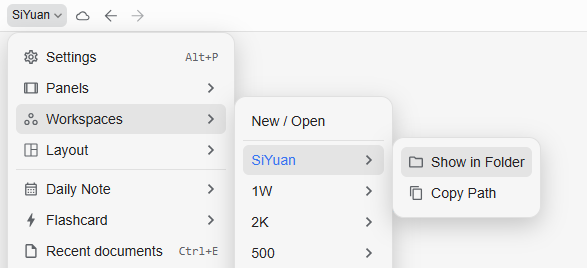
I have a question I can't find the answer to. I have a primary computer where I set up my workspace, and now I have sync going. I have a secondary computer where I've added the workspace and it's syncing just fine. I need help with changing the path of that workspace that's syncing on the secondary computer - I don't remember setting up the path for the workspace, and I can't figure out how to change it so that I don't break the sync.
Let me know if I can clarify anything. Any guidance would be appreciated - thanks!
Welcome to here!
Here we can learn from each other how to use SiYuan, give feedback and suggestions, and build SiYuan together.
Signup About