Apologies if this has been asked before - I just discovered SiYuan and while it's missing a few things I'd like (Kanban boards namely), I'm really loving it. It has a lot of unique features I've been looking for. Before I fully migrate to SiYuan, I want to make sure I can easily export. No tool lasts forever (unless it's Excel apparently) so future-proofing my PKM is important to me. I've been testing exports and no matter what I do, my databases are not exporting along with the rest of the docs when I test this out. I'm wondering if I'm missing something - I've checked the settings, plugins, and this forum, as well as Reddit. How can the databases themselves be exported?
This post was last updated for 417 days ago, and the information may already be changed
Related articles
-
astonishedquetzal •VIP Warrior Author
@mindarchr I appreciate you for this. I couldn't figure out what I was doing wrong given that my test exports in the user guide were working by default with markdown but my custom ones were not.
- MiscReply
-
mindarchr •PRO
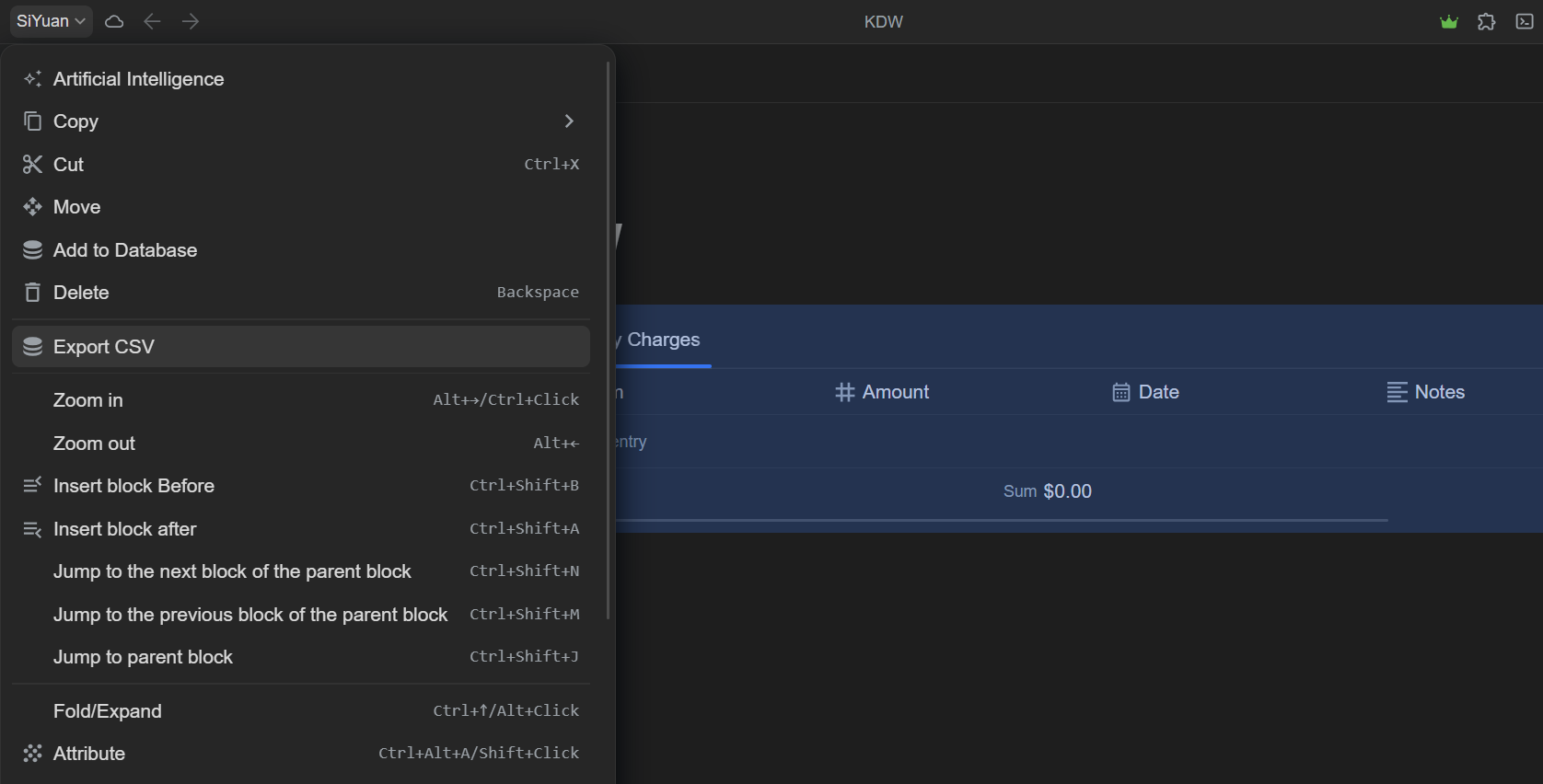
Hover over the database, and click the database symbol. You will see an option in the menu that appears that says 'Export CSV'. This is how I've always exported my databases for backup purposes.

Welcome to here!
Here we can learn from each other how to use SiYuan, give feedback and suggestions, and build SiYuan together.
Signup About