-
n8n node - TEST
2026-05-26 21:32I remember a community member developed an n8n node for SiYuan.
Of course, you can also use SiYuan's Web API directly.
For a local-first and open-source note-taking app, you can leverage AI to find the API for any existing feature you want, even if it hasn't been officially documented as a stable API — but you need to be mindful of edge cases.
-
Help: Notion Import
2026-01-21 10:34As far as I know, you need
Notion --> Markdown --> Siyuan. Siyuan Markdown import doesn't require any plugins. -
Seeking Guidance: SiYuan Documentation and Data Migration
2025-12-18 22:24Perhaps the Chinese community is a good choice, but translation software/plugins may be needed.
-
Feature Request: Modal Editing Plugin (Doom Emacs) for SiYuan
2025-08-20 11:45The developer (88250)'s reply should be considered from the perspective of fully implementing vim, but if you just want to simply overrider some keymaps and bind them to keys consistent with vim, I think it is possible to achieve it.
-
Swagger API docs in SiYuan?
2025-08-20 11:36I'm not a developer, but I think the implementation of swagger API docs can only be done with community help.
Just like the API fox documentation I provided above, it also provides interaction examples for developers.
-
A few questions from a beginner user
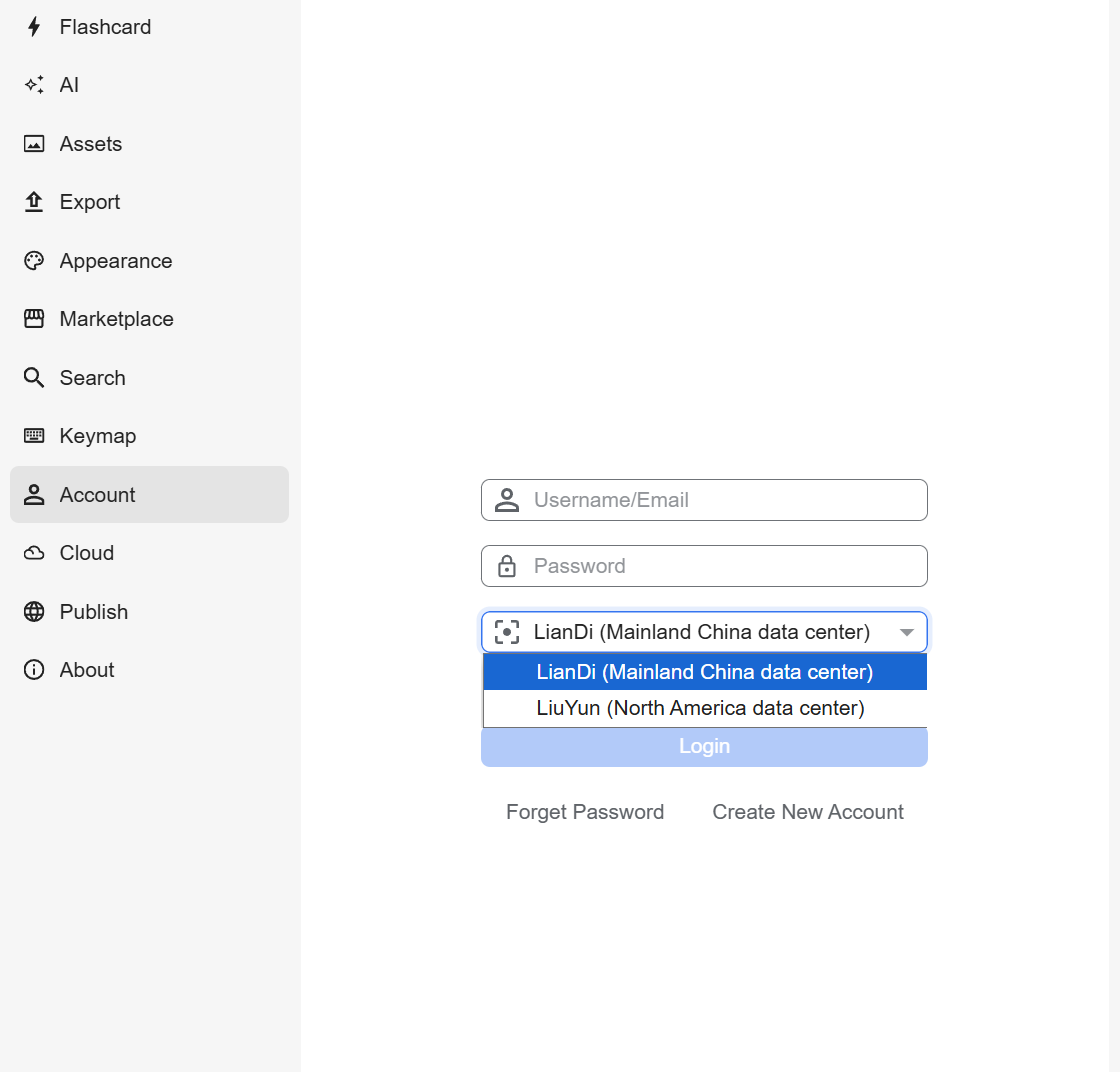
2025-08-20 10:54- ld246 (liandi) is a Chinese account and requires a Chinese mobile phone number.
- Liuyun is an international account, and they are not interoperable.
- The purchased license will be bound to your account, so
- Enter siyuan's international official website
- Purchase a license using an international account
- In SiYuan --> setting --> account, select liuyun
- Log in to your liuyun account
Is there any functional difference between them?
No, it's just the location of the data center and the forum that's different.

-
Mobile Database Error
2025-08-20 10:44Groups seem to be a new feature of 3.3.0. Are you using v3.3.0-dev on your PC and v3.2.1 on mobile?
-
Import data from a spreadsheet into a database
2025-08-19 12:08表格文件转思源数据库 - by 浅沧 - 动作信息 - Quicker
There is also an action in Quicker (a third-party app) that can import selected Excel and other files, and lets you customize the field types.
Quicker is like macOS Shortcuts for Windows
-
How to - paths, references, backlinks
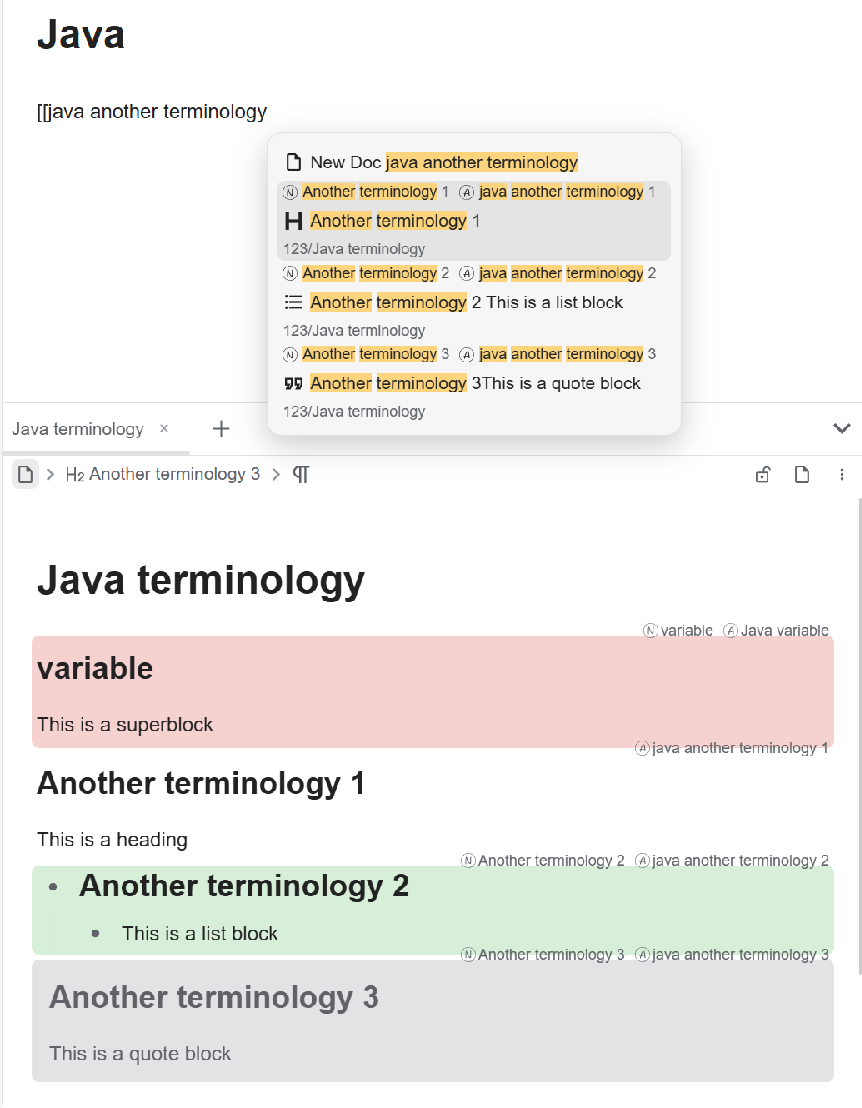
2025-08-19 11:55You can even do this: create a dedicated terminology document, merge each term (multi-paragraph blocks) into a single super-block—or a heading, list, etc.—and then reference them via the blocks' properties
-
How to - paths, references, backlinks
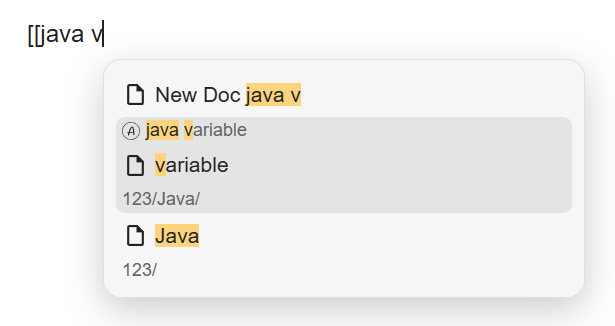
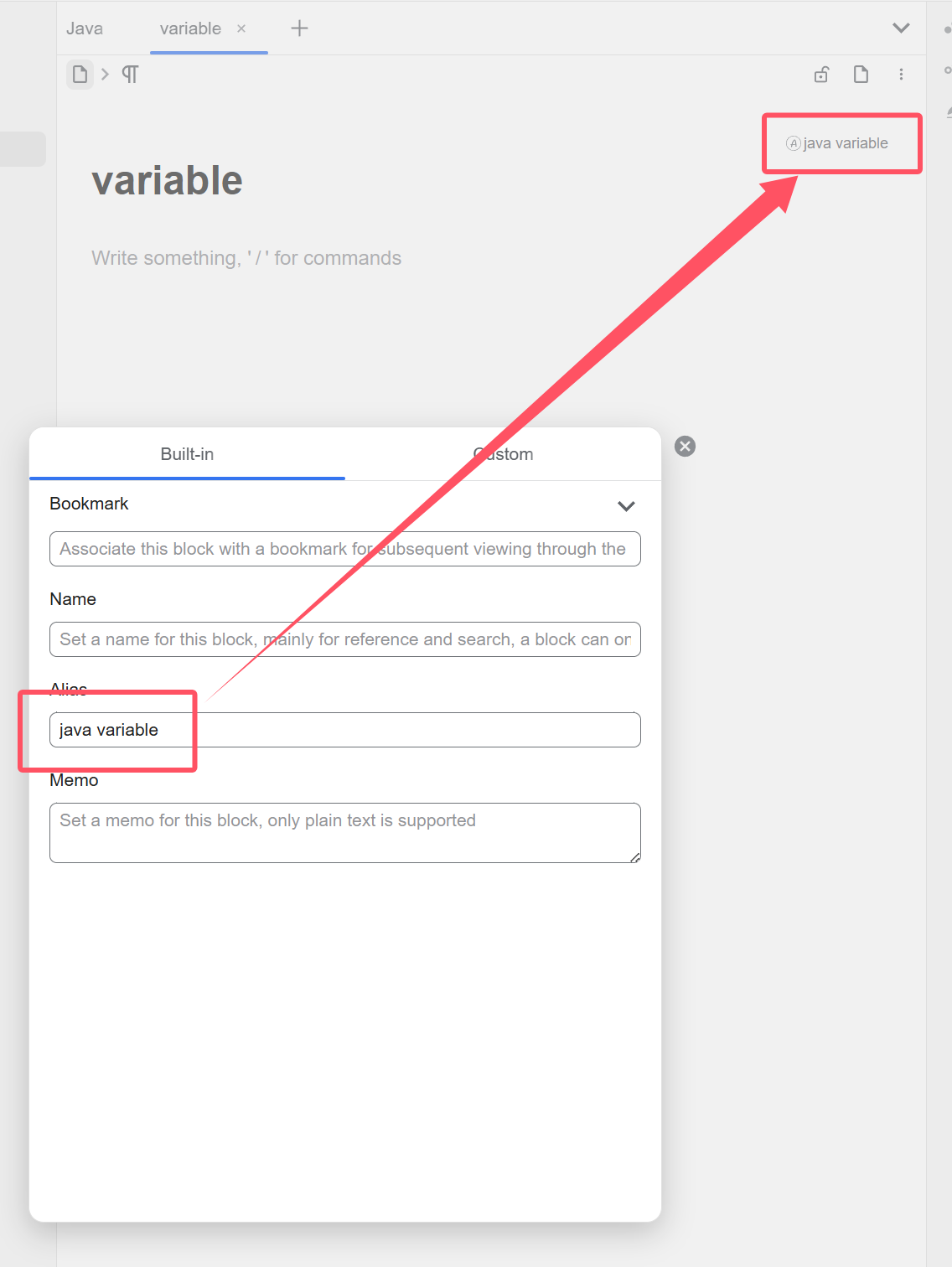
2025-08-19 11:35I think you can give a variable an alias, such as java variable; c# variable. Shift+click the icon to the left of the document title to open the properties view. It’s worth mentioning that Siyuan (思源) supports not only document-level aliases but also block-level aliases.
-
Swagger API docs in SiYuan?
2025-08-19 11:15You can view a code example for each API and execute the corresponding API within your SiYuan workspace using the local SiYuan API URL and API token
-
Swagger API docs in SiYuan?
2025-08-19 11:10I'm not entirely sure of Swagger's exact purpose, but you can refer to the API documentation created by the community:
-
Keyboard navigation between documents: How to move cursor to links without mouse?
2025-07-24 15:31You can use
-
alt + <open block-ref in new tab -
alt + >open block-ref in a right side new tab -
ctrl + numberquickly switch tab -
alt + numberquickly switch dock panel -
ctrl + tabActivate popup panel- Select using
arrowkeys, then releasectrl + tab - The left column is the dock panel list
- The right column is the tab list
- Select using
-
alt + oAn independent current note outline tab -
alt + bAn independent current note backlink tab -
alt + gAn independent current note local-graph tab -
ctrl + wclose current tab -
ctrl + erecently files- The left column is recently used dock panels
- The right column is recently opened notes
ctrl + ris find and replace in the current documentctrl + fis search in the current document (it is the same as above, just with find and replace enabled by default)ctrl + popens the global search floating panelctrl + shift + fopens the global search tab on the right side
shift + alt + HOptimize typographAlt + YToggle Fullscreen ( Zen Mode)ctrl + alt + HShow/Hide Dock button
-
-
Use AI to find related notes
2025-07-24 15:11Hello, the f-misc toolbox (plugin) can achieve the functionality you want, and there are also some other AI plugins that can do it.
I use deepseek v3 for test.
You can enable some options in F-Misc --> plugin settings(设置) --> GPT --> 🛠️ 工具, such as
- basic-tools
- 文件系统工具组
- ListDir
- ReadFile
- FileState
- siyuan-tools
- listNotebook
- getNodebook
- ListActiveDocs
- getDocument
- getDailyNoteDocs
- getParentDoc
- listSubDocs
- listSiblingDocs
- querySQL
- searchDocument
- searchKeyword
When you enable SQL, the AI will generate Siyuan-like SQL and ask you each time whether to execute it, then provide a summary for you.
The activation of these features is entirely up to you. Of course, you can also manually pre-fill the relevant SQL/JavaScript query code to help the AI work better.
I don't know why I can't upload images anymore.😢
-
Is there a way of making a kanban view?
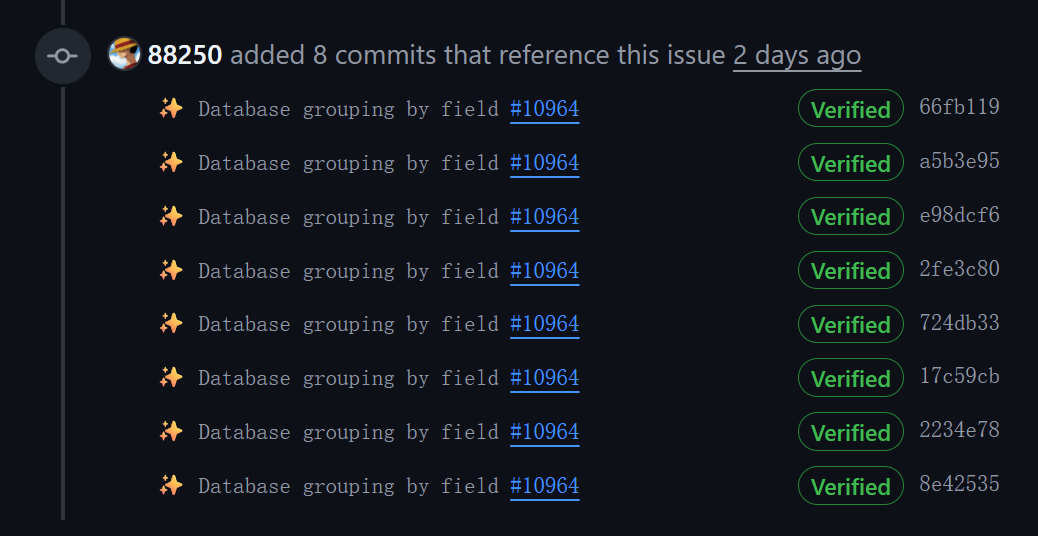
2025-07-02 19:26Before creating a kanban view, developers need to support Database grouping by field · Issue #10964 · siyuan-note/siyuan
It is the foundation of the kanban view.
We can see that it has entered development status, but we don't know when it will be released
-
Which is Less Laggy: One Long Doc or Several Short Docs?
2025-03-18 11:15I think the impact of long and short documents on performance is not significant, the biggest impact comes from individual blocks being too long.
-
What is the "correct" way to move a block?
2025-01-29 12:50Don't use cut, use move command.
Cut will generate a new block id.
-
Any helpful A-Z english tutorial on using Siyuan?
2025-01-09 22:39There is a user guide in the question mark button in the bottom right corner of SiYuan Note.
-
Translated Documentation for Tomato Toolbox
2024-12-20 10:33Hello, there is an option to translate to English in the three dots at the top right corner in feishu
-
Selfhosted SiYuan Sync with android app
2024-12-20 10:30I think there are two solutions:
Access self-hosted Siyuan in the browser of other devices
Or deploy an S3 bucket, and connect the phone and self-hosting to the S3 bucket -
How to use "inbox" feature?
2024-12-05 12:00In my opinion, the inbox API is used to forward some content when SiYuan is not enabled, and it can be seen when opened SiYuan in next time.
For users who always opened SiYuan, you can just use the local API.😳
-
Family or team usage?
2024-11-21 01:02It can be sync to multiple devices. You can purchase their sync plan (PRO Features or Subscription).
Or you can use the webserver directly to access the already opened SiYuan Workspace from the browser of other devices. -
Family or team usage?
2024-11-21 00:55This is a personal application, I think it's OK to share with family, but not suitable for team use (no ACL).
-
Translation into Brazilian Portuguese
2024-11-20 16:59Please refer to this PR so that community users can participate in the localization process.❤️